Why is ZKTeco so widespread in Morocco?
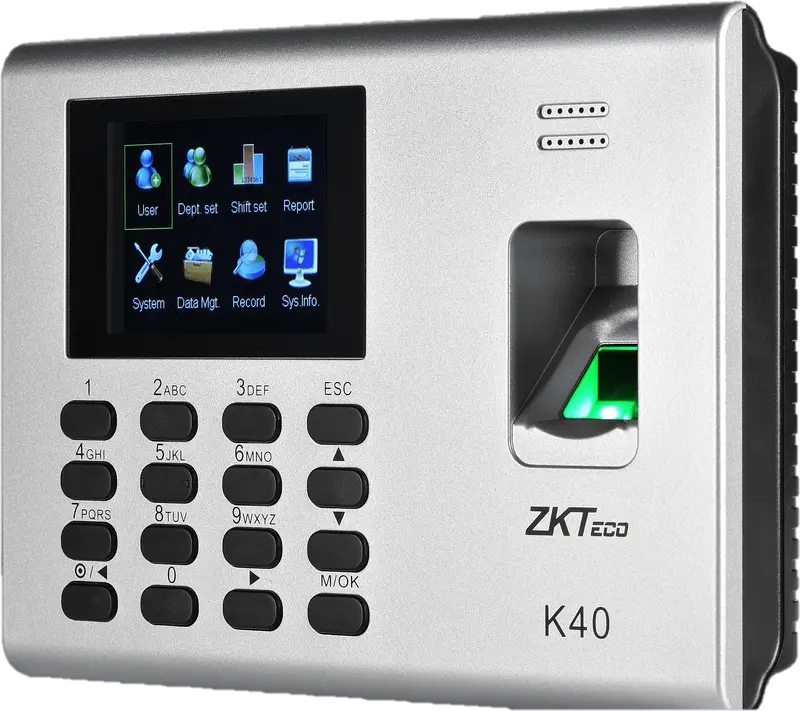
ZKTeco is a time clock manufacturer whose entry-level models, such as the K40, are offered by many resellers in Morocco: a fingerprint time clock on the wall by the entrance, often with a badge reader.
With TEMPO, its punches no longer stay in the time clock or in an Excel file: they are read remotely and calculated automatically.
What are the ZKTeco time clock ranges?
| Range | Models | Identification |
|---|---|---|
| K series | K40 | Fingerprint, PIN, optional badge |
| F series | F18, F22 | Fingerprint, PIN, optional badge; Wi-Fi on the F22 |
| MA series | MA300 | Fingerprint, badge, IP65 housing without a screen |
| IN01 | IN01-A | Fingerprint, badge, built-in battery |
| MB series (multi-biometric) | MB20, MB360, MB160, MB560-VL | Face, fingerprint, badge, PIN |
| uFace | uFace 402 | Face, fingerprint, badge |
| SpeedFace, ProFace, SenseFace, Horus | SpeedFace-V5L, ProFace X, SenseFace 2A, Horus E1 | Face, palm depending on the model, badge, QR |
K series
- Models
- K40
- Identification
- Fingerprint, PIN, optional badge
F series
- Identification
- Fingerprint, PIN, optional badge; Wi-Fi on the F22
MA series
- Models
- MA300
- Identification
- Fingerprint, badge, IP65 housing without a screen
IN01
- Models
- IN01-A
- Identification
- Fingerprint, badge, built-in battery
MB series (multi-biometric)
- Identification
- Face, fingerprint, badge, PIN
uFace
- Models
- uFace 402
- Identification
- Face, fingerprint, badge
SpeedFace, ProFace, SenseFace, Horus
- Models
- SpeedFace-V5L, ProFace X, SenseFace 2A, Horus E1
- Identification
- Face, palm depending on the model, badge, QR
The most common ZKTeco families in Moroccan companies.
ZKTeco time clocks in the catalogue
ZKTeco
K40
Entry-level fingerprint time clock with keypad, 2.8-inch screen and built-in battery, for an office, a store or a small workshop.
- Empreinte
- Badge
- Code
ZKTeco
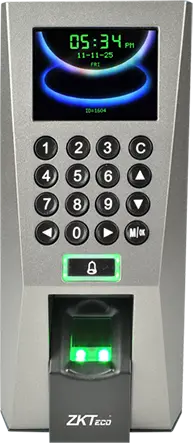
F18
Wall-mounted fingerprint terminal with keypad, Wiegand and anti-passback, to clock in and control an office or equipment room door.
- Empreinte
- Badge
- Code
ZKTeco
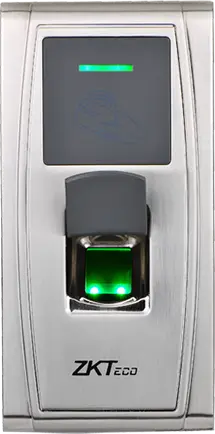
MA300
Fingerprint and card reader in an IP65 metal housing, no screen, to clock in at an exposed entrance, a gate or a loading dock.
- Empreinte
- Badge
ZKTeco
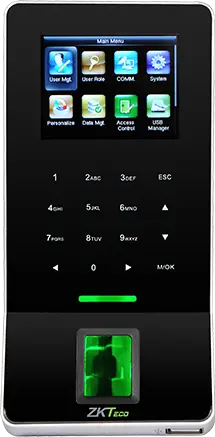
F22
Slim fingerprint terminal with built-in Wi-Fi, to clock in and control a door where running a network cable is difficult.
- Empreinte
- Badge
- Code
ZKTeco
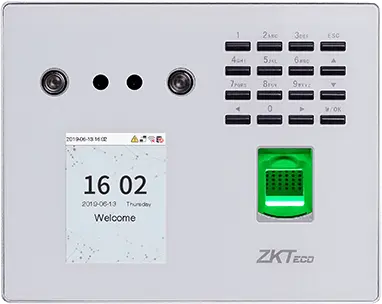
MB560-VL
Visible-light face, fingerprint and keypad time clock, successor to the MB160 and MB360 for office and retail sites.
- Visage
- Empreinte
- Badge
- Code
ZKTeco
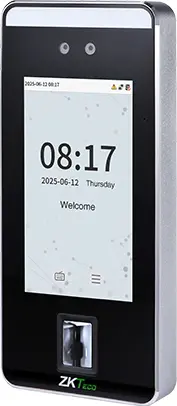
SpeedFace-V5L
Touchless face terminal, 5-inch screen, fingerprint depending on version and optional palm, for a site of several hundred people.
- Visage
- Paume
- Empreinte
- Badge
- Code
ZKTeco
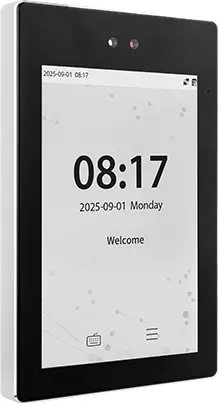
ProFace X
High-end face terminal, 8-inch screen, IP68, -30 to 60 °C, for an outdoor entrance or a site of several thousand people.
- Visage
- Paume
- Badge
- Code
ZKTeco
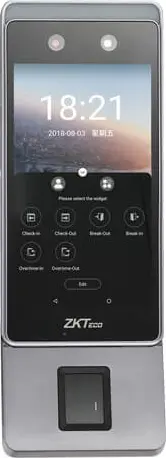
Horus E1
Android face terminal in a phone format, with Wi-Fi, 4G and Bluetooth, for a site with no wired network or a worksite base.
- Visage
- Empreinte
- Badge
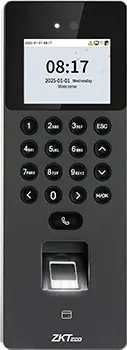
ZKTeco
SenseFace 2A
Compact face, fingerprint, card and keypad time clock, for an SME or a branch replacing a fingerprint time clock.
- Visage
- Empreinte
- Badge
- Code
 Plus fabriquée
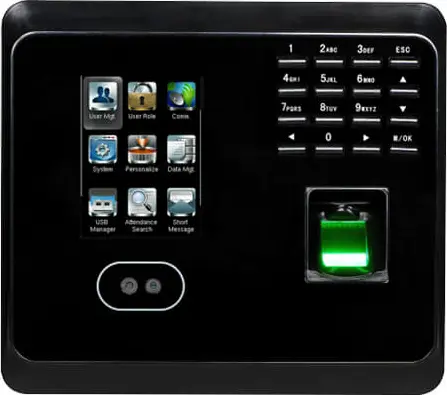
ZKTeco
MB360
Face and fingerprint time clock with keypad and optional card, for an office or a store with up to 1,500 enrolled faces.
- Visage
- Empreinte
- Badge
- Code
 Plus fabriquée
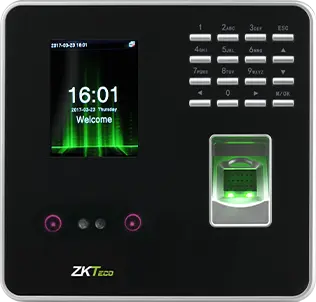
ZKTeco
MB20
Small face and fingerprint time clock for a small team: a branch, a practice or a boutique, up to 200 faces.
- Visage
- Empreinte
- Badge
- Code
- Plus fabriquée
ZKTeco
uFace 402
Face and fingerprint time clock with a 4.3-inch touchscreen, for a head office, a factory or a store of several hundred people.
- Visage
- Empreinte
- Badge
- Code
 Plus fabriquée
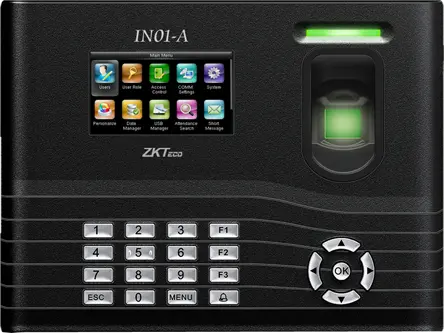
ZKTeco
IN01-A
Fingerprint time clock with 3-inch screen, built-in battery and Wiegand, for a site with frequent power cuts.
- Empreinte
- Badge
- Code
- Plus fabriquée
ZKTeco
MB160
Face and fingerprint time clock with keypad, with the same capacities as the MB360, for an office or a shop.
- Visage
- Empreinte
- Badge
- Code
How does TEMPO connect to a ZKTeco time clock?
TEMPO’s servers read the time clock via the ZKTeco SDK protocol (port 4370), through a site VPN or a port open only to our addresses. Punches are read every 6 hours by default or on demand, and the time clock’s time is corrected automatically.
The settings are detailed in the guide connecting a ZKTeco time clock.
What can you do on a ZKTeco time clock from TEMPO?
Everything is done from the employee record or the time clock list, with no USB stick.
Add and remove employees
Name, ID and badge sent to the time clock in one click.
Enroll a fingerprint remotely
The employee places a finger while the manager starts enrollment from TEMPO.
Import existing users
Each ID already on the device is linked to an employee, without re-enrolling fingers.
Appoint an administrator
Only the people you choose can open the time clock menu.
Which ZKTeco time clock should you choose?
How do you set up a ZKTeco time clock with TEMPO?
- 1
Note the serial number
On the housing label or in the time clock menu.
- 2
Assign a fixed IP address
In the Communication menu, with port 4370.
- 3
Open a network path
Site VPN, or port 4370 open only to TEMPO’s addresses.
- 4
Register the time clock
Model, site, serial number and address in the Time clocks menu.
- 5
Check
Clock in once, then click Fetch punches.
On the same topic
- ZKTeco software Online software for ZKTeco time clocks: nothing to download, punches read remotely, employees and fingerprints managed from the cloud.
- Connect a ZKTeco time clock Set up a ZKTeco time clock on the network: fixed IP, port 4370, communication key, VPN, time, then adding it to TEMPO.
- Installation Install a time clock in Morocco: location, number of terminals, network, VPN or restricted port, time and enrollment with TEMPO.
- Compatibility Is your time clock compatible with TEMPO? Brands, protocols, tested models, what to check, bringing over your data.
- Fingerprint Biometric fingerprint time clock: how it works, worn fingers (construction, cleaning), remote enrollment, backup and software in Morocco.
Questions fréquentes
Which software to use with a ZKTeco time clock in Morocco?
You can use TEMPO, an online HRIS whose time and attendance module reads ZKTeco time clocks remotely via their SDK protocol. Nothing is installed on a computer on site: punches are read automatically, linked to employees and calculated against their schedule, with late arrivals, overtime and payroll preparation.
Is the ZKTeco K40 compatible with TEMPO?
Yes, the K40 is compatible via the ZKTeco SDK protocol. TEMPO reads its punches, adds employees and their badges to it and can start fingerprint enrollment from the employee record. We can supply and install it, or connect the one you already have.
Do you need to open a port for a ZKTeco time clock?
The time clock must be reachable by TEMPO’s servers on port 4370. The safest option is a site VPN; otherwise, a port 4370 forward allowed only from TEMPO’s IP addresses. We give you the settings during installation.
What happens if the internet goes down on site?
Nothing is lost. The ZKTeco time clock keeps storing punches in its memory. At the next read, TEMPO fetches everything recorded since the previous one and ignores duplicates. An unreachable time clock appears in the daily email of offline time clocks.