How does a ZKTeco time clock communicate with TEMPO?
The TEMPO servers read the time clock through the ZKTeco SDK protocol, on port 4370, every 6 hours by default or on demand. On each connection, they read new punches, send pending employees and reset the clock.
The steps to connect a ZKTeco time clock
- 1
Note the serial number
On the label on the back (S/N) or in the time clock menu.
- 2
Give it a fixed IP address
Communication menu, Ethernet, with port 4370.
- 3
Make it reachable by TEMPO
Through a site VPN, or port 4370 open only to our addresses.
- 4
Set a communication key
The same number on the time clock and in TEMPO.
- 5
Set the site’s local time
TEMPO then corrects it itself.
- 6
Register it in TEMPO
Time clocks menu, Add a time clock.
- 7
Check
Make a test punch, then Fetch punches.
Which IP address and port should the time clock get?
A fixed IP address, for example 192.168.1.201, outside the range the router hands out, with the site’s subnet mask and gateway. Leave the port at 4370.
Prefer a network cable to Wi-Fi.
How do you make the time clock reachable without exposing it to the Internet?
- Site VPN (recommended): TEMPO reaches the time clock at its local address, and no port is open to the Internet.
- Restricted forwarding: the router forwards TCP port 4370 to the time clock and accepts only the TEMPO IP addresses we give you.
What is a ZKTeco time clock’s communication key for?
It is a numeric code the time clock requires before it answers. Enter the same number on the time clock (Comm. menu, Comm Key) and on the TEMPO page, where it is encrypted.
Why set the time clock’s time without a time zone or NTP?
The time clock records the time it displays, which TEMPO reads in the site’s time zone (Africa/Casablanca by default). Set it to local time, with no automatic sync: TEMPO corrects it on each connection, clock changes included.
Which fields do you fill in TEMPO?
| Field | Value |
|---|---|
| Model | The time clock’s model (K40, F18, MA300…) |
| Label | A meaningful name: “Maârif store entrance” |
| Site | The site where it is installed: it sets the time zone |
| Serial number | The one noted from the label or the menu |
| IP address or host name | The local address with a VPN, the public address with port forwarding |
| Port | 4370, or the forwarded public port |
| Communication key | The time clock’s key |
Model
- Value
- The time clock’s model (K40, F18, MA300…)
Label
- Value
- A meaningful name: “Maârif store entrance”
Site
- Value
- The site where it is installed: it sets the time zone
Serial number
- Value
- The one noted from the label or the menu
IP address or host name
- Value
- The local address with a VPN, the public address with port forwarding
Port
- Value
- 4370, or the forwarded public port
Communication key
- Value
- The time clock’s key
A ZKTeco time clock’s page in the Time clocks menu.
How do you check that the time clock is connected?
Choose Time clock info: the serial number, number of users and time are displayed. Make a test punch and run Fetch punches: it appears in the list.
Then add the employees to the time clock from TEMPO.
What if the ZKTeco time clock does not connect?
| What you see | What to do |
|---|---|
| The time clock does not answer | Check the address, port, cable and firewall rule |
| Communication key rejected | Enter the same key on the time clock and in TEMPO |
| Different serial number | Check the address and copy the serial number again |
| Punches at a shifted time | Set the time clock to local time and turn off NTP |
The time clock does not answer
- What to do
- Check the address, port, cable and firewall rule
Communication key rejected
- What to do
- Enter the same key on the time clock and in TEMPO
Different serial number
- What to do
- Check the address and copy the serial number again
Punches at a shifted time
- What to do
- Set the time clock to local time and turn off NTP
The most common messages and how to fix them.
Compatible ZKTeco time clocks
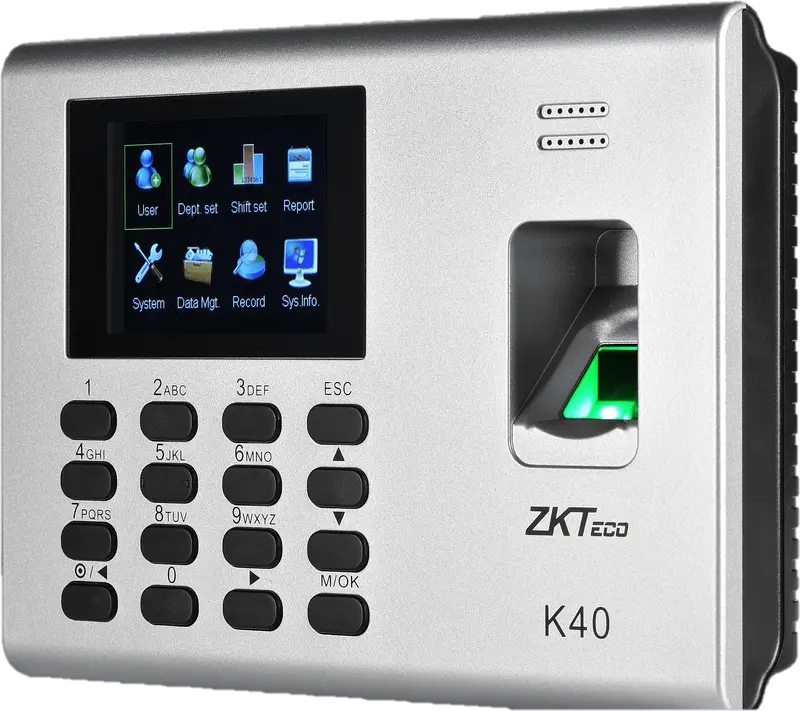
ZKTeco
K40
Entry-level fingerprint time clock with keypad, 2.8-inch screen and built-in battery, for an office, a store or a small workshop.
- Empreinte
- Badge
- Code
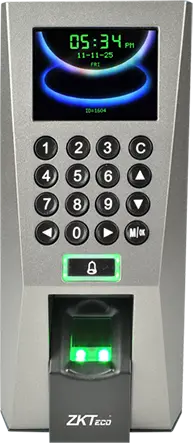
ZKTeco
F18
Wall-mounted fingerprint terminal with keypad, Wiegand and anti-passback, to clock in and control an office or equipment room door.
- Empreinte
- Badge
- Code
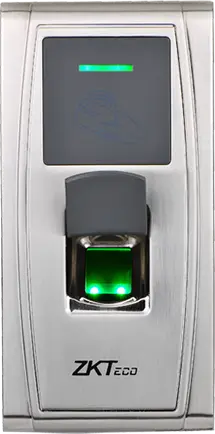
ZKTeco
MA300
Fingerprint and card reader in an IP65 metal housing, no screen, to clock in at an exposed entrance, a gate or a loading dock.
- Empreinte
- Badge
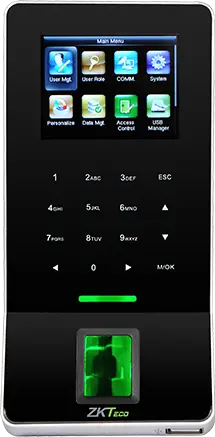
ZKTeco
F22
Slim fingerprint terminal with built-in Wi-Fi, to clock in and control a door where running a network cable is difficult.
- Empreinte
- Badge
- Code
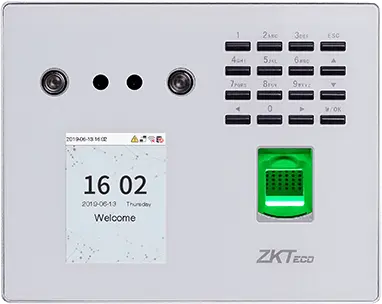
ZKTeco
MB560-VL
Visible-light face, fingerprint and keypad time clock, successor to the MB160 and MB360 for office and retail sites.
- Visage
- Empreinte
- Badge
- Code
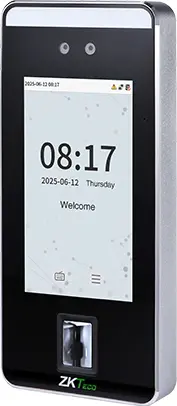
ZKTeco
SpeedFace-V5L
Touchless face terminal, 5-inch screen, fingerprint depending on version and optional palm, for a site of several hundred people.
- Visage
- Paume
- Empreinte
- Badge
- Code
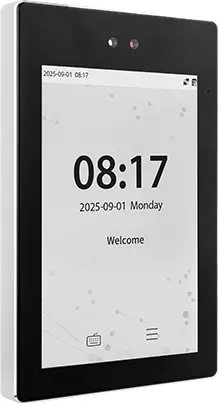
ZKTeco
ProFace X
High-end face terminal, 8-inch screen, IP68, -30 to 60 °C, for an outdoor entrance or a site of several thousand people.
- Visage
- Paume
- Badge
- Code
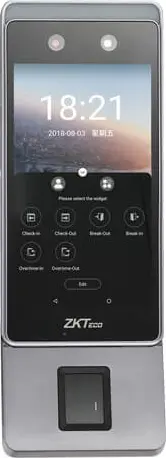
ZKTeco
Horus E1
Android face terminal in a phone format, with Wi-Fi, 4G and Bluetooth, for a site with no wired network or a worksite base.
- Visage
- Empreinte
- Badge
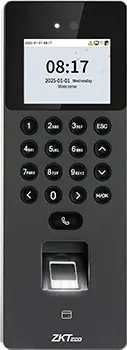
ZKTeco
SenseFace 2A
Compact face, fingerprint, card and keypad time clock, for an SME or a branch replacing a fingerprint time clock.
- Visage
- Empreinte
- Badge
- Code
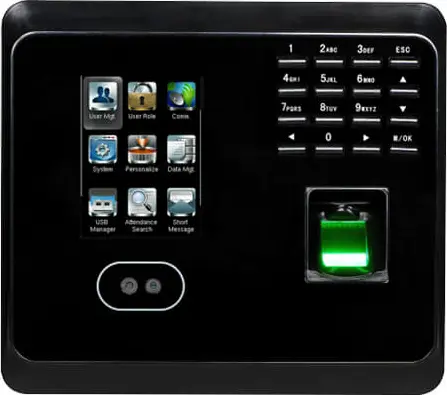 Plus fabriquée
ZKTeco
MB360
Face and fingerprint time clock with keypad and optional card, for an office or a store with up to 1,500 enrolled faces.
- Visage
- Empreinte
- Badge
- Code
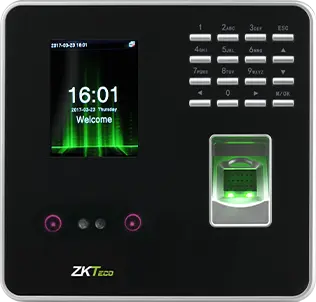 Plus fabriquée
ZKTeco
MB20
Small face and fingerprint time clock for a small team: a branch, a practice or a boutique, up to 200 faces.
- Visage
- Empreinte
- Badge
- Code
- Plus fabriquée
ZKTeco
uFace 402
Face and fingerprint time clock with a 4.3-inch touchscreen, for a head office, a factory or a store of several hundred people.
- Visage
- Empreinte
- Badge
- Code
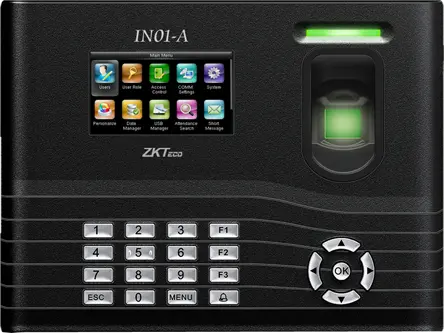 Plus fabriquée
ZKTeco
IN01-A
Fingerprint time clock with 3-inch screen, built-in battery and Wiegand, for a site with frequent power cuts.
- Empreinte
- Badge
- Code
- Plus fabriquée
ZKTeco
MB160
Face and fingerprint time clock with keypad, with the same capacities as the MB360, for an office or a shop.
- Visage
- Empreinte
- Badge
- Code
Questions fréquentes
Which port does a ZKTeco time clock use?
The factory port of the ZKTeco SDK protocol is 4370, over TCP or UDP. In TEMPO, the transport is TCP by default. If you forward this port on the site router, restrict it to the TEMPO IP addresses; a site VPN remains the simplest option.
Do you need to open a port to connect a ZKTeco time clock to TEMPO?
Our servers must be able to reach the time clock. Best is a site VPN: no port is open to the Internet. Otherwise, forwarding port 4370 allowed only for our IP addresses. We help you with this setting at installation.
How long do ZKTeco punches take to reach TEMPO?
TEMPO collects from each ZKTeco time clock every 6 hours by default. To see a punch straight away, run Fetch punches from the time clock list. Between two collections, punches are kept in the time clock’s memory: a network outage loses nothing.
Can you keep the ZKTeco software installed on the PC?
It is better to stop it once the time clock is registered in TEMPO. Two programs that add or delete users on the same time clock contradict each other. Add employees, badges and fingerprints from TEMPO, which keeps the history of every change.