What is the difference between a ZKTeco and a Hikvision time clock?
Mostly how they talk to the software: a ZKTeco is read by our servers over the network, a Hikvision sends each punch to the cloud itself, within a second.
ZKTeco offers many fingerprint and badge models; the Hikvision range is mostly facial. The right choice depends on what you already have and the identification method you want.
ZKTeco or Hikvision: the comparison, criterion by criterion
| Criterion | ZKTeco | Hikvision |
|---|---|---|
| Range strengths | Fingerprint and badge, from entry level (K40, F18) to outdoor readers (MA300) | Facial recognition, often with fingerprint and Mifare badge |
| Connection to TEMPO | ZKTeco SDK protocol, port 4370, through a site VPN or a restricted port | HTTP listening (ISAPI), over HTTPS, no open port for punches |
| Punch delivery | Read every 6 hours by default, and on demand | Real time |
| Enrollment from TEMPO | Employees, badges and fingerprints | Employees, badges, fingerprints and face photo |
| Model connected in real conditions | MA300 | DS-K1T343MFWX |
Range strengths
- ZKTeco
- Fingerprint and badge, from entry level (K40, F18) to outdoor readers (MA300)
- Hikvision
- Facial recognition, often with fingerprint and Mifare badge
Connection to TEMPO
- ZKTeco
- ZKTeco SDK protocol, port 4370, through a site VPN or a restricted port
- Hikvision
- HTTP listening (ISAPI), over HTTPS, no open port for punches
Punch delivery
- ZKTeco
- Read every 6 hours by default, and on demand
- Hikvision
- Real time
Enrollment from TEMPO
- ZKTeco
- Employees, badges and fingerprints
- Hikvision
- Employees, badges, fingerprints and face photo
Model connected in real conditions
- ZKTeco
- MA300
- Hikvision
- DS-K1T343MFWX
Both brands with TEMPO. Model specifications come from the manufacturers’ datasheets.
How does each brand connect to TEMPO?
- ZKTeco: our servers read the time clock through a site VPN or a port restricted to our addresses. See connecting a ZKTeco time clock.
- Hikvision: you copy the push address given by TEMPO into the time clock. See connecting a Hikvision time clock.
In both cases, a time clock cut off from the network keeps its punches in memory.
Which ZKTeco and Hikvision models should you compare?
| Model | Identification | Stated capacity | Typical use |
|---|---|---|---|
| ZKTeco K40 | Fingerprint, PIN, optional badge | 3,000 fingerprints, 100,000 punches | Small shop or office, indoors |
| ZKTeco F18 | Fingerprint, PIN, optional badge | 3,000 fingerprints, 100,000 punches (2023 datasheet) | Workshop or office door |
| ZKTeco MA300 | Fingerprint, badge | 1,500 fingerprints, 10,000 badges, IP65 | Exposed entrance, outdoors |
| ZKTeco MB360 | Face, fingerprint, PIN | 1,500 faces, 2,000 fingerprints | Office, mid-sized workforce |
| Hikvision DS-K1T342MFWX | Face, fingerprint, Mifare badge | 1,500 faces, 3,000 fingerprints, −30 to 60 °C | Shop, warehouse |
| Hikvision DS-K1T642MFW | Face, fingerprint, Mifare badge | 6,000 faces, 5,000 fingerprints, 150,000 events | Head office, large indoor site |
| Hikvision DS-K1T344MX-E1 | Face, Mifare badge, PIN | 3,000 faces, IP65, PoE | Exposed entrance, sheltered building site |
- Identification
- Fingerprint, PIN, optional badge
- Stated capacity
- 3,000 fingerprints, 100,000 punches
- Typical use
- Small shop or office, indoors
- Identification
- Fingerprint, PIN, optional badge
- Stated capacity
- 3,000 fingerprints, 100,000 punches (2023 datasheet)
- Typical use
- Workshop or office door
- Identification
- Fingerprint, badge
- Stated capacity
- 1,500 fingerprints, 10,000 badges, IP65
- Typical use
- Exposed entrance, outdoors
- Identification
- Face, fingerprint, PIN
- Stated capacity
- 1,500 faces, 2,000 fingerprints
- Typical use
- Office, mid-sized workforce
- Identification
- Face, fingerprint, Mifare badge
- Stated capacity
- 1,500 faces, 3,000 fingerprints, −30 to 60 °C
- Typical use
- Shop, warehouse
- Identification
- Face, fingerprint, Mifare badge
- Stated capacity
- 6,000 faces, 5,000 fingerprints, 150,000 events
- Typical use
- Head office, large indoor site
- Identification
- Face, Mifare badge, PIN
- Stated capacity
- 3,000 faces, IP65, PoE
- Typical use
- Exposed entrance, sheltered building site
A few models common in Morocco, capacities as stated by the manufacturers.
Should you choose ZKTeco if the company already has time clocks?
Generally yes: keeping time clocks that work costs less than replacing everything. TEMPO reads your K40, F18 or MB360 without changing hardware.
For new hardware, ask us for a quote: we supply and install both brands.
When is a Hikvision time clock the best choice?
- Sites without IT staff: a plain Internet connection is enough.
- Hygiene and throughput: the face is read contact-free, in under 0.2 s according to Hikvision datasheets.
- Enrollment by photo: TEMPO sends the photo from the employee record to the time clock.
Compatible ZKTeco time clocks
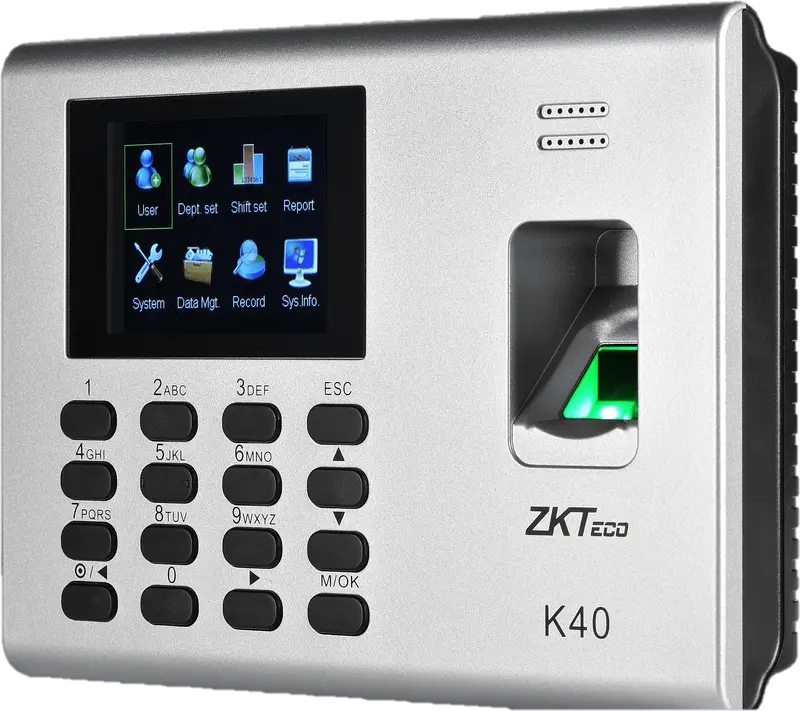
ZKTeco
K40
Entry-level fingerprint time clock with keypad, 2.8-inch screen and built-in battery, for an office, a store or a small workshop.
- Empreinte
- Badge
- Code
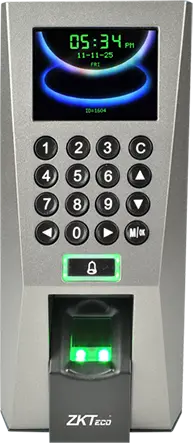
ZKTeco
F18
Wall-mounted fingerprint terminal with keypad, Wiegand and anti-passback, to clock in and control an office or equipment room door.
- Empreinte
- Badge
- Code
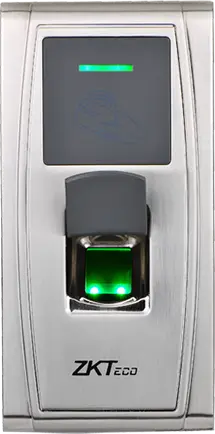
ZKTeco
MA300
Fingerprint and card reader in an IP65 metal housing, no screen, to clock in at an exposed entrance, a gate or a loading dock.
- Empreinte
- Badge
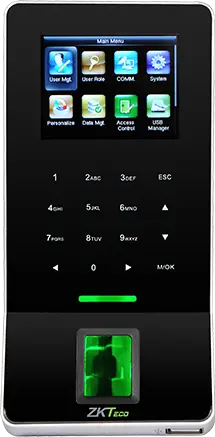
ZKTeco
F22
Slim fingerprint terminal with built-in Wi-Fi, to clock in and control a door where running a network cable is difficult.
- Empreinte
- Badge
- Code
ZKTeco
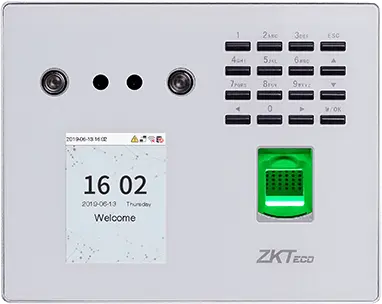
MB560-VL
Visible-light face, fingerprint and keypad time clock, successor to the MB160 and MB360 for office and retail sites.
- Visage
- Empreinte
- Badge
- Code
ZKTeco
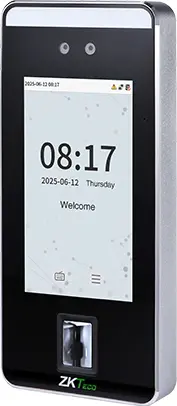
SpeedFace-V5L
Touchless face terminal, 5-inch screen, fingerprint depending on version and optional palm, for a site of several hundred people.
- Visage
- Paume
- Empreinte
- Badge
- Code
ZKTeco
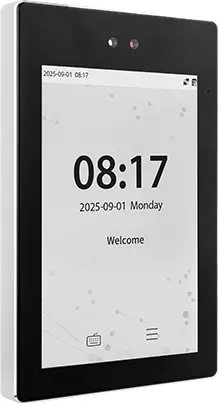
ProFace X
High-end face terminal, 8-inch screen, IP68, -30 to 60 °C, for an outdoor entrance or a site of several thousand people.
- Visage
- Paume
- Badge
- Code
ZKTeco
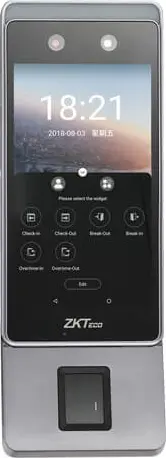
Horus E1
Android face terminal in a phone format, with Wi-Fi, 4G and Bluetooth, for a site with no wired network or a worksite base.
- Visage
- Empreinte
- Badge
ZKTeco
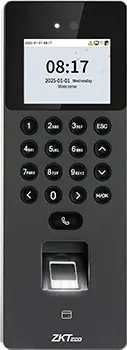
SenseFace 2A
Compact face, fingerprint, card and keypad time clock, for an SME or a branch replacing a fingerprint time clock.
- Visage
- Empreinte
- Badge
- Code
 Plus fabriquée
ZKTeco
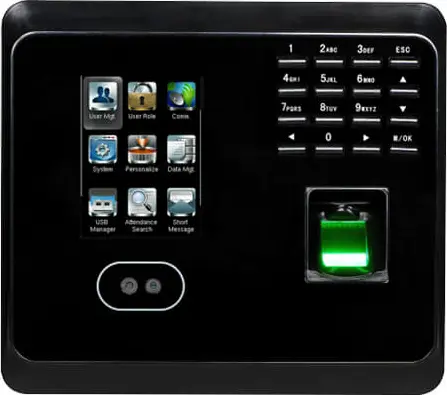
MB360
Face and fingerprint time clock with keypad and optional card, for an office or a store with up to 1,500 enrolled faces.
- Visage
- Empreinte
- Badge
- Code
 Plus fabriquée
ZKTeco
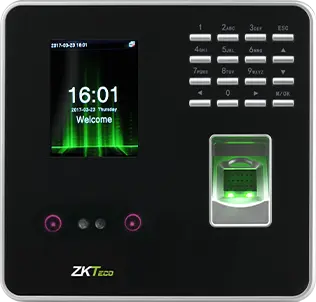
MB20
Small face and fingerprint time clock for a small team: a branch, a practice or a boutique, up to 200 faces.
- Visage
- Empreinte
- Badge
- Code
- Plus fabriquée
ZKTeco
uFace 402
Face and fingerprint time clock with a 4.3-inch touchscreen, for a head office, a factory or a store of several hundred people.
- Visage
- Empreinte
- Badge
- Code
 Plus fabriquée
ZKTeco
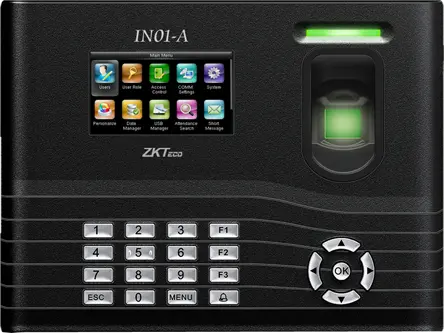
IN01-A
Fingerprint time clock with 3-inch screen, built-in battery and Wiegand, for a site with frequent power cuts.
- Empreinte
- Badge
- Code
- Plus fabriquée
ZKTeco
MB160
Face and fingerprint time clock with keypad, with the same capacities as the MB360, for an office or a shop.
- Visage
- Empreinte
- Badge
- Code
Compatible Hikvision time clocks
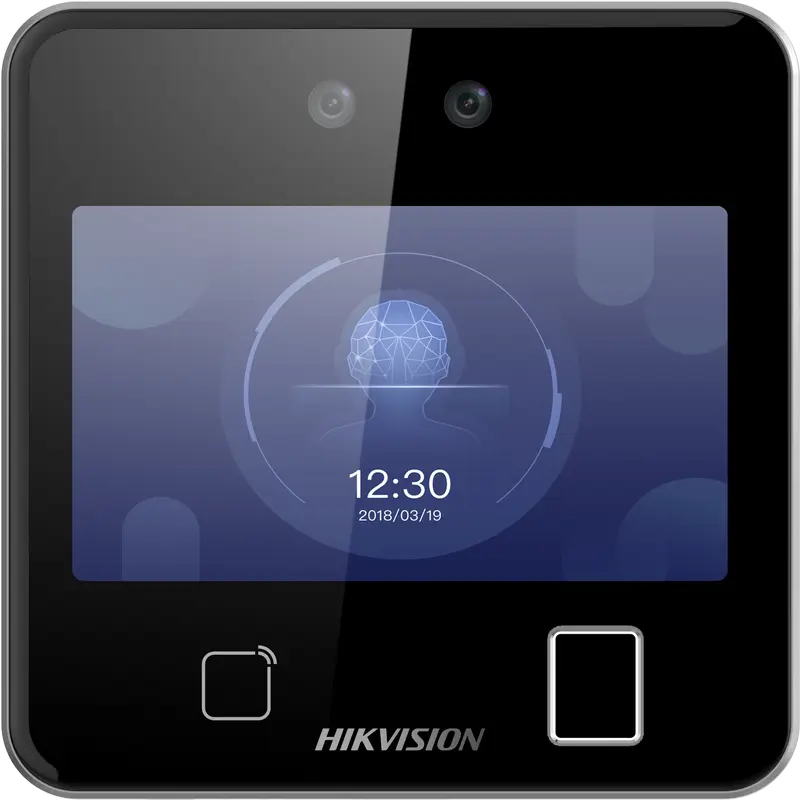
Hikvision
DS-K1T642MFW
Square facial recognition terminal (up to 3 m) with fingerprint, Mifare card and Wi-Fi: for receptions, offices and shops.
- Visage
- Empreinte
- Badge
- QR code
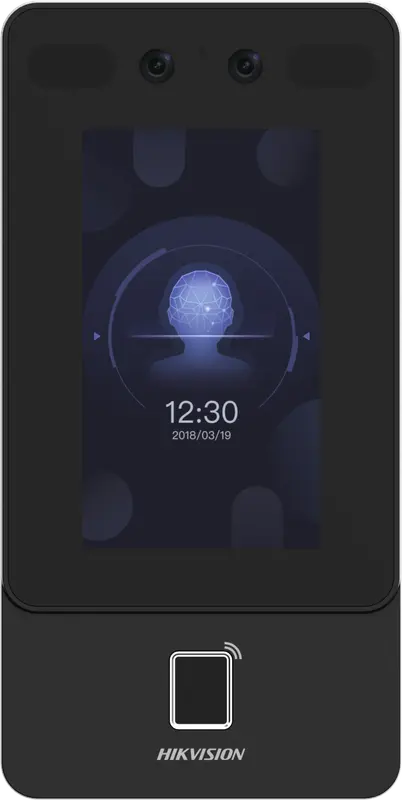
Hikvision
DS-K1T342MFWX
Vertical wall terminal: face (masks included), fingerprint and Mifare card, over Ethernet or Wi-Fi, from -30 °C to 60 °C.
- Visage
- Empreinte
- Badge
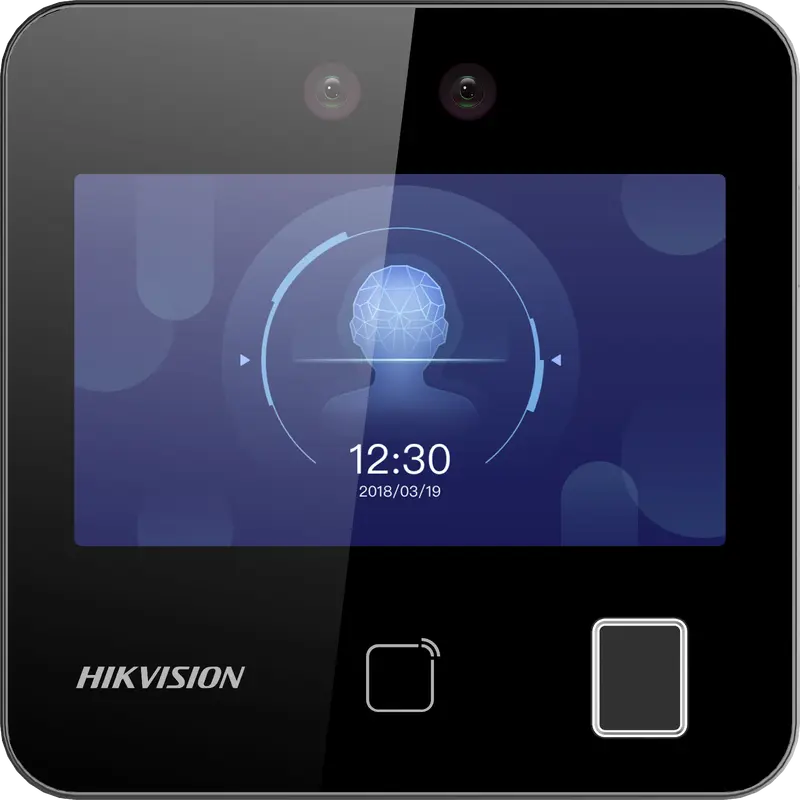
Hikvision
DS-K1T343MFWX
Compact square terminal: face, fingerprint and Mifare card, Ethernet or Wi-Fi. The Hikvision model we have actually connected.
- Visage
- Empreinte
- Badge
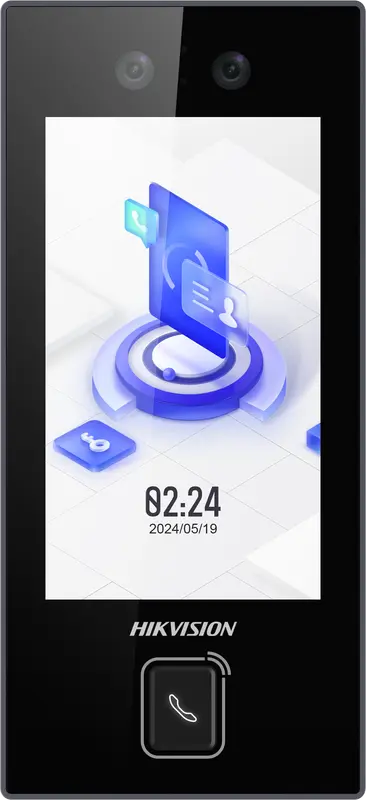
Hikvision
DS-K1T344MX-E1
IP65 PoE-powered face terminal with Mifare card, PIN code and QR code: for exposed entrances, from -30 °C to 60 °C.
- Visage
- Badge
- Code
- QR code
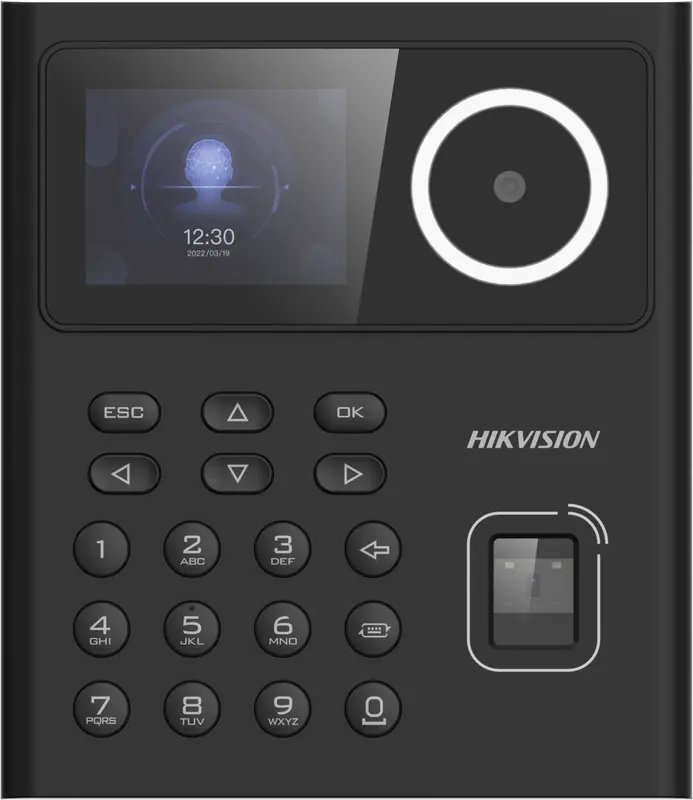
Hikvision
DS-K1T320MFWX
Small entry-level face terminal, 2.4-inch screen, with fingerprint, Mifare card, PIN code and Wi-Fi: for small teams.
- Visage
- Empreinte
- Badge
- Code
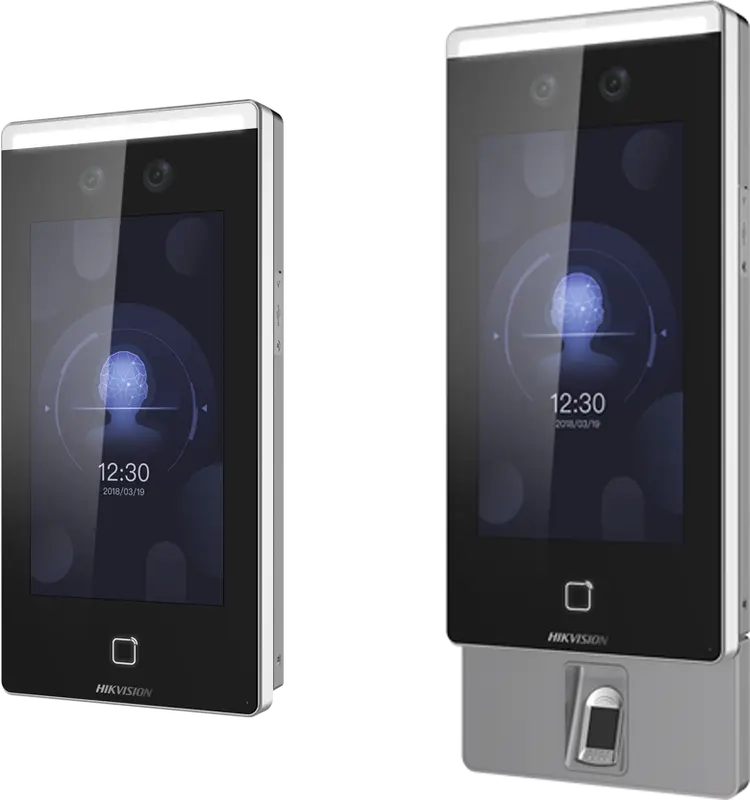
Hikvision
DS-K1T671
Large face terminal with a 7-inch screen, IP65, fingerprint and card: for busy entrances and very cold or hot sites.
- Visage
- Empreinte
- Badge
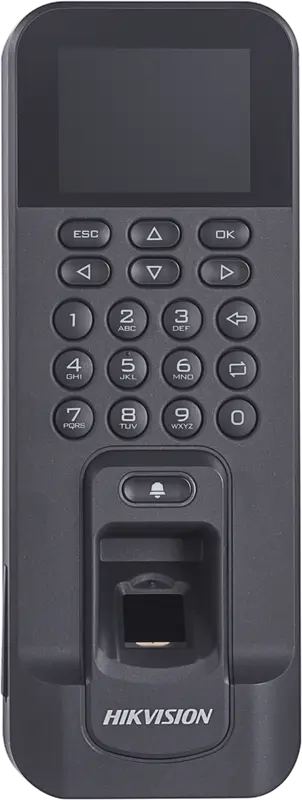
Hikvision
DS-K1T804AMF
Slim fingerprint and Mifare card reader, over Ethernet or Wi-Fi: for an office door or a restricted-access room.
- Empreinte
- Badge
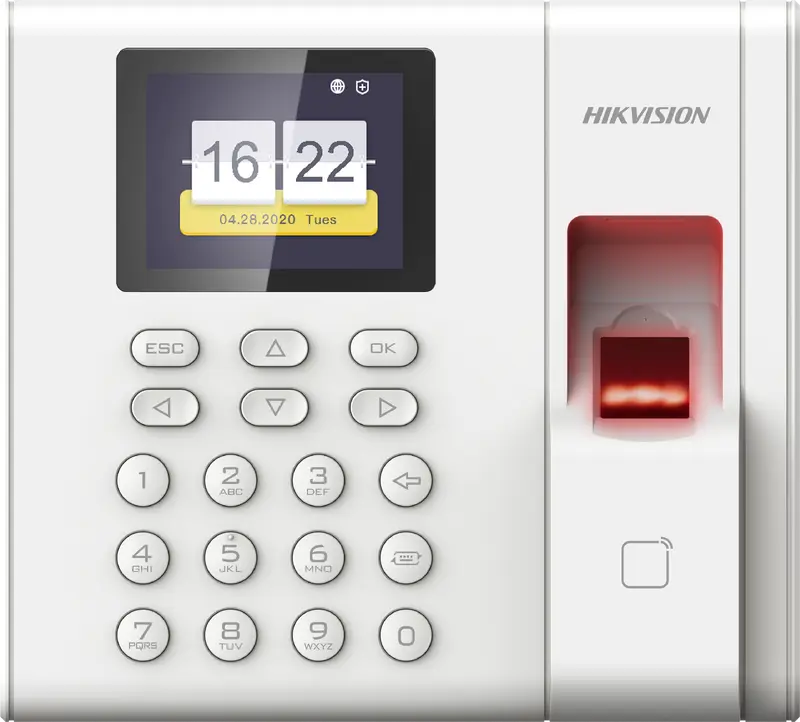
Hikvision
DS-K1A8503EF
Entry-level fingerprint and card time clock built for attendance only: 1,000 employees, USB export, Ethernet network.
- Empreinte
- Badge
Can you mix ZKTeco and Hikvision time clocks?
Yes. Each employee keeps the same ID on every time clock, and punches from both brands feed the same schedules and reports. Next, see the comparison face, fingerprint or badge.
Questions fréquentes
ZKTeco or Hikvision: which is more reliable?
Both brands are widely installed in Morocco and their readers are reliable when properly mounted. The real difference is the connection: a Hikvision sends its punches in real time, a ZKTeco is read by our servers over the network. Choose based on your network and the identification method you want.
Do you need to open a port for a Hikvision time clock?
Not to receive punches: the time clock sends them to TEMPO itself over HTTPS. To enroll employees remotely and set the clock’s time, our servers reach it through a site VPN or a port restricted to our addresses. We give you the settings at installation.
Can you keep the manufacturer’s software alongside TEMPO?
It is not recommended. Two programs that change the same users or the same clock contradict each other: an employee deleted on one side, a time corrected on the other. Once the time clock is registered in TEMPO, add employees, badges and fingerprints from TEMPO.
Sources
Textes officiels d'où viennent les chiffres de cette page. Les valeurs proposées par le logiciel restent modifiables.