How does a facial recognition time clock work?
The time clock compares the face in front of its camera with the faces it has in memory and records who clocked in, and when. The employee is enrolled once, then clocks in by standing in front of the screen, with no code or badge.
Most models also read a badge, a fingerprint or a code.
Does a facial time clock recognize a face with a mask, a beard or a headscarf?
Yes, as long as the eyes and nose stay visible: headscarves, hijabs, beards and glasses do not get in the way of recognition. Some models also recognize a masked face; each model’s page says so.
Can a photo or a video fool a facial time clock?
Recent models include liveness detection, often with an infrared camera, which rejects a photo or a phone screen.
TEMPO counts only successful recognitions, and inconsistent days show up in attendance anomalies.
Where should a facial time clock go: light, backlight, height?
- No direct sunlight or glass door behind the person clocking in.
- Screen at face height, as per the manufacturer’s instructions.
- Outdoors, a model rated IP65 at least: see the outdoor time clock.
Why choose a contactless time clock?
Nothing to touch: ideal in food processing, clinics, kitchens or with gloves. The face stays readable when hands are worn, a frequent issue with fingerprint time clocks, and clocking is fast at shift changes.
What does TEMPO do with a facial time clock?
The terminal recognizes the face; TEMPO does the rest, from the browser.
Photo sent to the terminal
On Hikvision models, the photo from the employee record is sent to the terminal.
Employees pushed to the time clock
Name, employee ID and badge go to the terminal from TEMPO.
Continuous punches
Each punch arrives in TEMPO, with no software on site.
Hours calculated
Each punch is checked against the schedule.
Face, fingerprint or badge: which time clock to choose?
| Criterion | Face | Fingerprint | Badge |
|---|---|---|---|
| Contact | None | Finger on the sensor | Badge held to the reader |
| Clocking in for a colleague | Very difficult | Very difficult | Easy (lent badge) |
| Worn hands, gloves | No effect | Frequent failures | No effect |
| Cost per employee | None | None | One badge per person |
| Biometric data | Yes | Yes | No |
Contact
- Face
- None
- Fingerprint
- Finger on the sensor
- Badge
- Badge held to the reader
Clocking in for a colleague
- Face
- Very difficult
- Fingerprint
- Very difficult
- Badge
- Easy (lent badge)
Worn hands, gloves
- Face
- No effect
- Fingerprint
- Frequent failures
- Badge
- No effect
Cost per employee
- Face
- None
- Fingerprint
- None
- Badge
- One badge per person
Biometric data
- Face
- Yes
- Fingerprint
- Yes
- Badge
- No
General comparison; exact performance depends on the model.
Facial recognition time clocks compatible with TEMPO
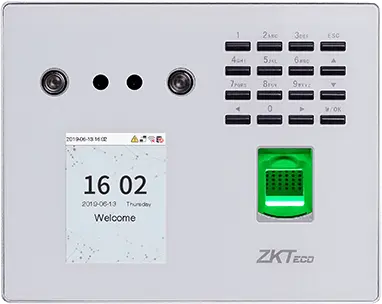
ZKTeco
MB560-VL
Visible-light face, fingerprint and keypad time clock, successor to the MB160 and MB360 for office and retail sites.
- Visage
- Empreinte
- Badge
- Code
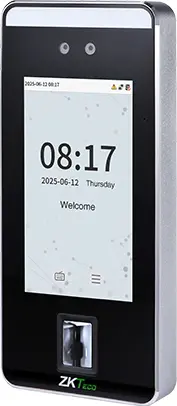
ZKTeco
SpeedFace-V5L
Touchless face terminal, 5-inch screen, fingerprint depending on version and optional palm, for a site of several hundred people.
- Visage
- Paume
- Empreinte
- Badge
- Code
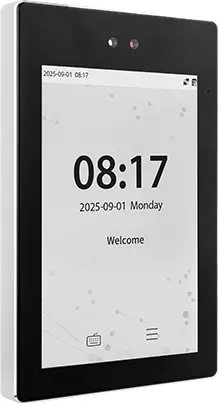
ZKTeco
ProFace X
High-end face terminal, 8-inch screen, IP68, -30 to 60 °C, for an outdoor entrance or a site of several thousand people.
- Visage
- Paume
- Badge
- Code
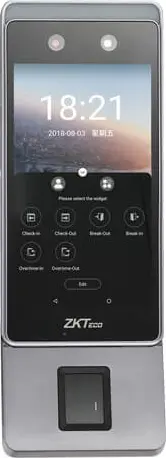
ZKTeco
Horus E1
Android face terminal in a phone format, with Wi-Fi, 4G and Bluetooth, for a site with no wired network or a worksite base.
- Visage
- Empreinte
- Badge
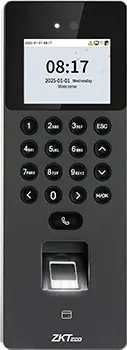
ZKTeco
SenseFace 2A
Compact face, fingerprint, card and keypad time clock, for an SME or a branch replacing a fingerprint time clock.
- Visage
- Empreinte
- Badge
- Code
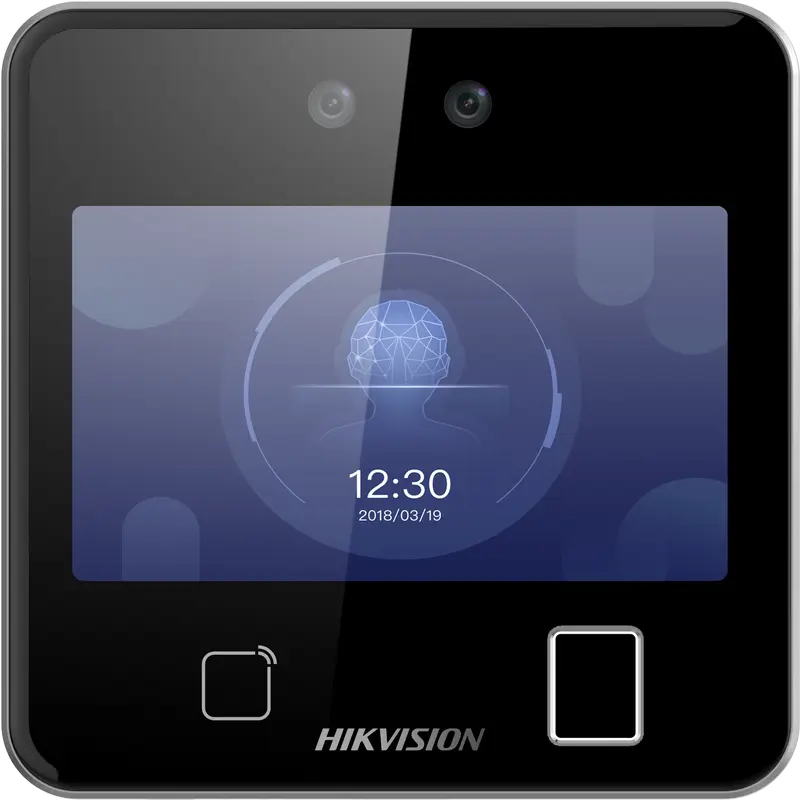
Hikvision
DS-K1T642MFW
Square facial recognition terminal (up to 3 m) with fingerprint, Mifare card and Wi-Fi: for receptions, offices and shops.
- Visage
- Empreinte
- Badge
- QR code
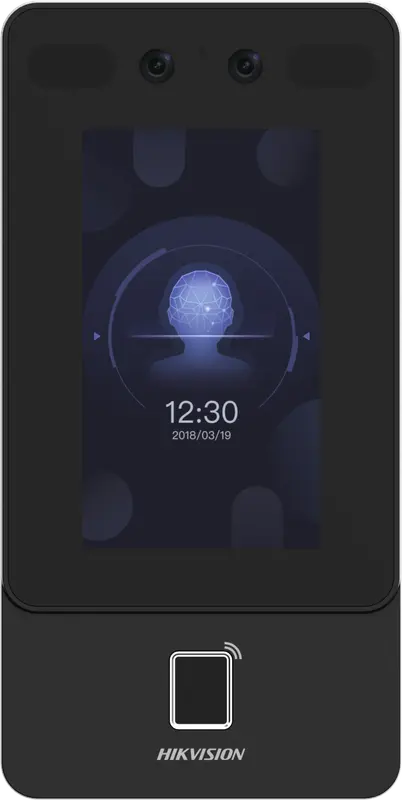
Hikvision
DS-K1T342MFWX
Vertical wall terminal: face (masks included), fingerprint and Mifare card, over Ethernet or Wi-Fi, from -30 °C to 60 °C.
- Visage
- Empreinte
- Badge
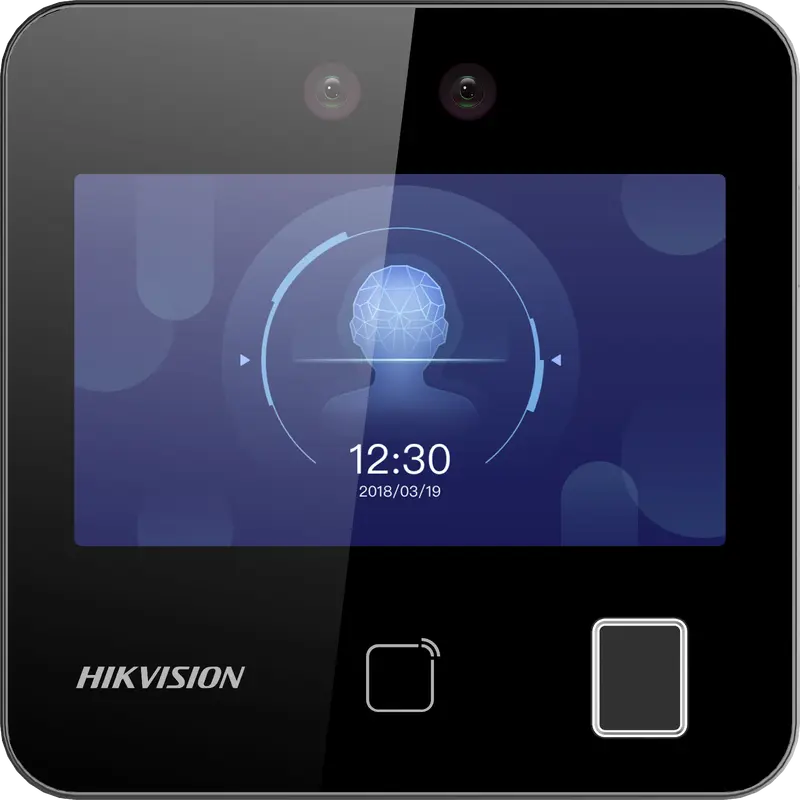
Hikvision
DS-K1T343MFWX
Compact square terminal: face, fingerprint and Mifare card, Ethernet or Wi-Fi. The Hikvision model we have actually connected.
- Visage
- Empreinte
- Badge
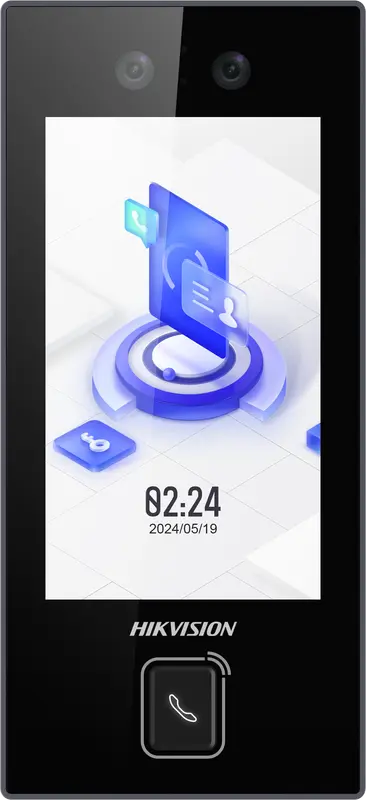
Hikvision
DS-K1T344MX-E1
IP65 PoE-powered face terminal with Mifare card, PIN code and QR code: for exposed entrances, from -30 °C to 60 °C.
- Visage
- Badge
- Code
- QR code
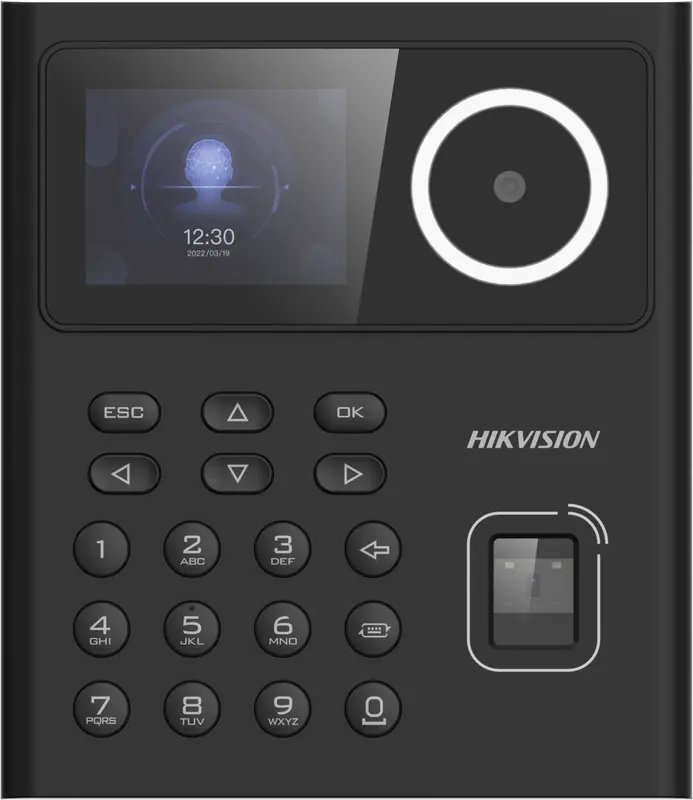
Hikvision
DS-K1T320MFWX
Small entry-level face terminal, 2.4-inch screen, with fingerprint, Mifare card, PIN code and Wi-Fi: for small teams.
- Visage
- Empreinte
- Badge
- Code
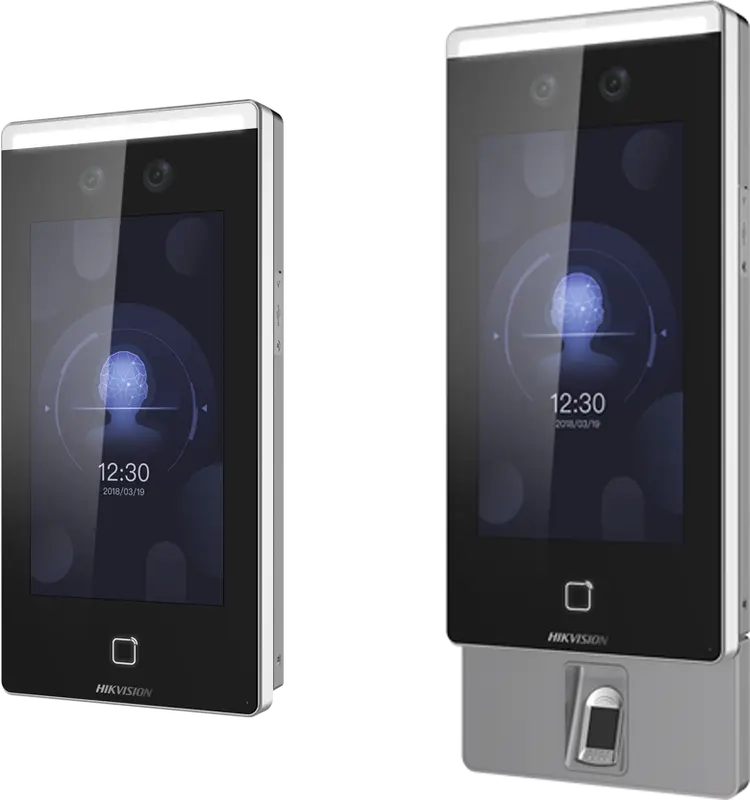
Hikvision
DS-K1T671
Large face terminal with a 7-inch screen, IP65, fingerprint and card: for busy entrances and very cold or hot sites.
- Visage
- Empreinte
- Badge
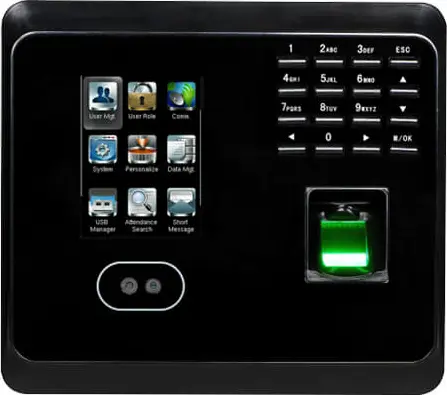 Plus fabriquée
ZKTeco
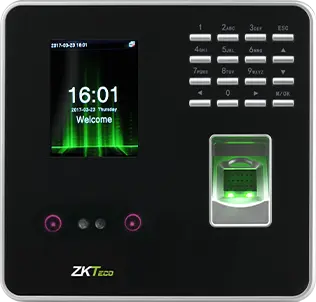
MB360
Face and fingerprint time clock with keypad and optional card, for an office or a store with up to 1,500 enrolled faces.
- Visage
- Empreinte
- Badge
- Code
 Plus fabriquée
ZKTeco
MB20
Small face and fingerprint time clock for a small team: a branch, a practice or a boutique, up to 200 faces.
- Visage
- Empreinte
- Badge
- Code
- Plus fabriquée
ZKTeco
uFace 402
Face and fingerprint time clock with a 4.3-inch touchscreen, for a head office, a factory or a store of several hundred people.
- Visage
- Empreinte
- Badge
- Code
- Plus fabriquée
ZKTeco
MB160
Face and fingerprint time clock with keypad, with the same capacities as the MB360, for an office or a shop.
- Visage
- Empreinte
- Badge
- Code
Learn more
To choose the model and connect it to the software.
- Face, fingerprint or badge Face, fingerprint or badge: speed, fraud, environment, biometric data. The comparison for choosing your time clock in Morocco.
- Hikvision software Online attendance software for Hikvision time clocks: punches received in real time with no open port, faces, badges and fingerprints managed remotely.
- ZKTeco software Online software for ZKTeco time clocks: nothing to download, punches read remotely, employees and fingerprints managed from the cloud.
- Installation Install a time clock in Morocco: location, number of terminals, network, VPN or restricted port, time and enrollment with TEMPO.
Questions fréquentes
What is a facial recognition time clock?
It is a clocking terminal that identifies the employee by their face, with no contact or badge. It compares the face presented with an enrolled template, records the time and sends the punch to the software. With TEMPO, these punches become hours worked, lateness and overtime calculated against the schedule.
Does a facial time clock work with a mask?
It depends on the model: some terminals recognize a face wearing a surgical mask, as the model’s page states. For people whose face is covered, the same terminal usually accepts a badge or a code. You keep a single time clock for the whole team.
Can a photo fool a facial time clock?
Recent models include liveness detection, which tells a real face from a photo or a screen, often using an infrared camera or a dual lens. Test it at installation with a photo on a phone: the terminal must refuse it. TEMPO counts only successful recognitions.
Do you have to photograph each employee in front of the time clock?
Not with Hikvision terminals: TEMPO sends the photo from the employee record to the terminal, cropped automatically. On ZKTeco facial models, TEMPO sends the employee (name, employee ID, badge) and the face is enrolled on the time clock. A sharp, front-facing, well-lit photo gives the best results.
Is a facial time clock allowed in Morocco?
Biometrics are governed by law 09-08 and the CNDP, which requires you to justify the use of biometrics and inform employees. Check the formalities that apply to your business before rollout. Our guide on biometric clocking and the CNDP summarizes the fact sheets published by the Commission.
Sources
Textes officiels d'où viennent les chiffres de cette page. Les valeurs proposées par le logiciel restent modifiables.